Clinic management for web and mobile

One system for the whole clinic.

Front desk, doctors, patients and management share one workflow: real doctor schedules, one-form visits with voice dictation, prescriptions in your own design, lab results online and AI assistants that answer in seconds.
  • 4 roles
  • Voice dictation
  • AI assistants
  • Mobile app
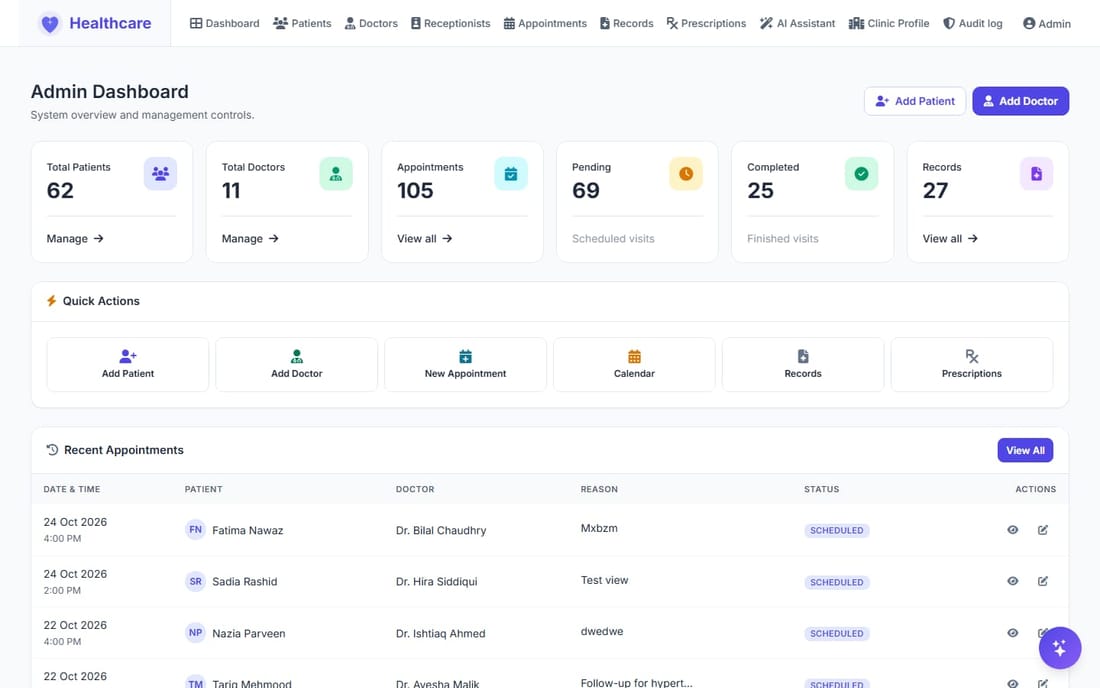
Admin dashboard of the Healthcare system
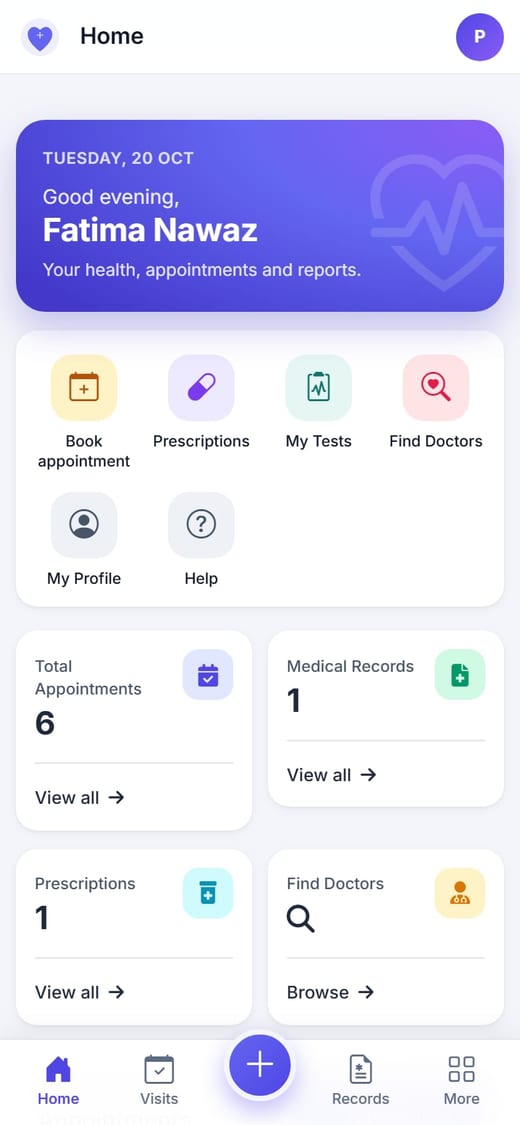
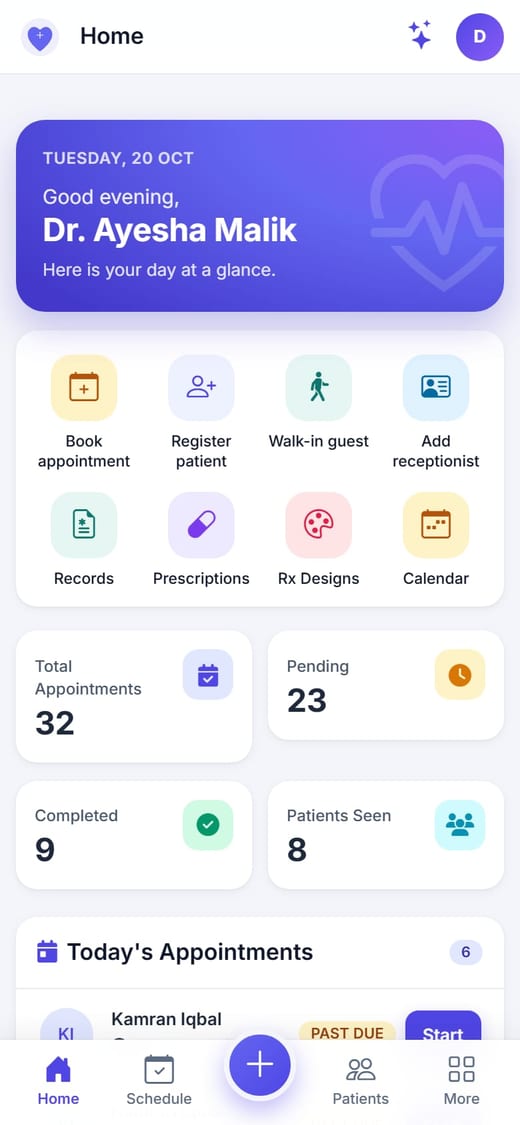
Doctor home screen in the mobile app
4roles, one app
7permission switches per doctor
5appointment states tracked
60 minlongest slot, from 10 minutes
Built for every person in your clinic

Four roles, one app

Everyone signs in with an email address or a phone number and sees only what their role allows.

Admin

Owns the setup and sees everything.

  • Doctors, schedules and fees
  • Receptionists with per-doctor permissions
  • Clinic profile, logo and currency
  • Audit log with CSV export

Doctor

Sees their own patients and records.

  • Quick Visit with voice dictation
  • Prescriptions in their own design
  • Orders tests, reviews results
  • Manages their own front desk team

Receptionist

Runs the front desk, never sees diagnoses.

  • Registers patients and walk-in guests
  • Books from real free slots
  • Records vitals for the doctor
  • Seven permission switches per doctor

Patient

Their own portal on web and phone.

  • Find doctors and book a slot
  • Records and prescriptions online
  • Upload lab results from the phone
  • Cancel upcoming appointments
Everything the clinic does in a day

From booking to the printed prescription

Doctor schedules

Book only when the doctor is free

Each doctor sets their working days and hours, the slot length (10 to 60 minutes) and whether a slot may take extra patients. Booking forms for staff and patients show only the free times, and how many places are left.
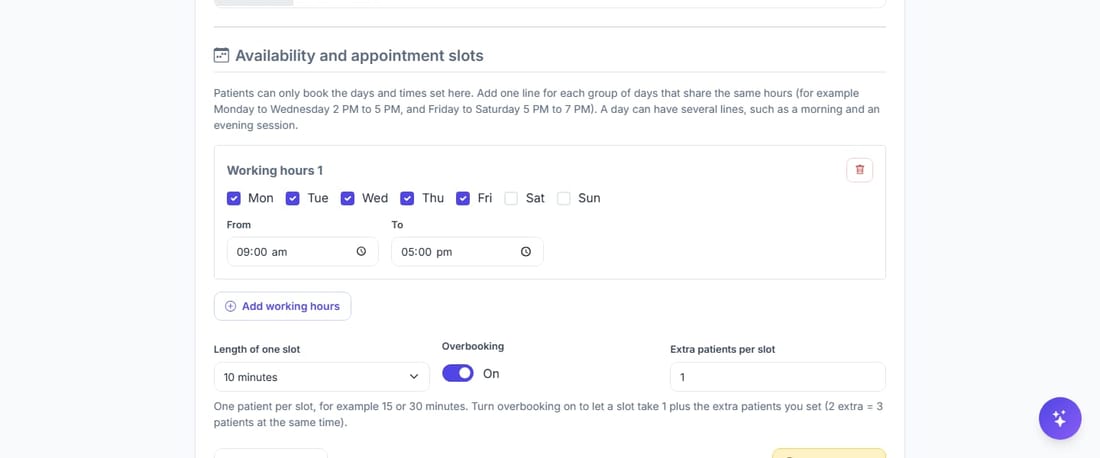
  • Several sessions a day, for example morning and evening
  • Optional overbooking with a limit you choose
  • Bookings outside the hours are refused
Working hours, slot length and overbooking form
Calendar

The whole day at a glance

A colour-coded month view for the clinic or one doctor. On a busy day, +N more opens a popup with every appointment, like Google Calendar. Past due and No show are tracked automatically.
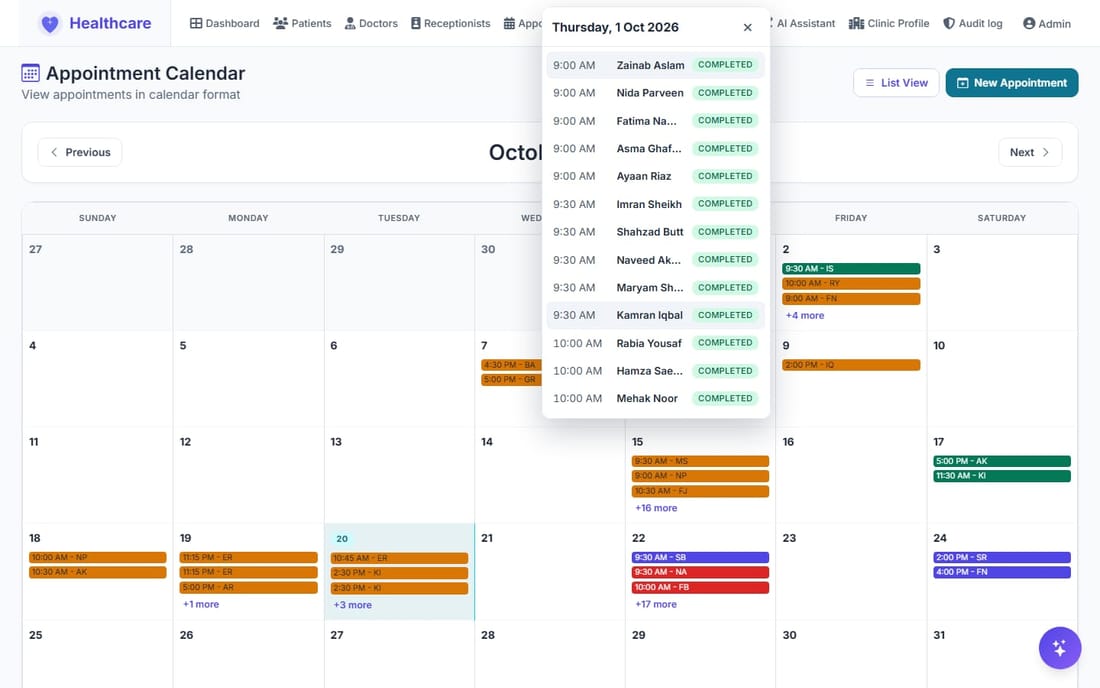
  • Scheduled, Past due, Completed, Cancelled, No show
  • Click any appointment to open it
Calendar with the day popup
Quick Visit

Speak the visit. The form fills itself.

Symptoms, diagnosis, treatment, any number of medicines and tests, and a follow-up appointment, all in one form. Press the microphone and dictate: the doctor reviews, corrects and saves.
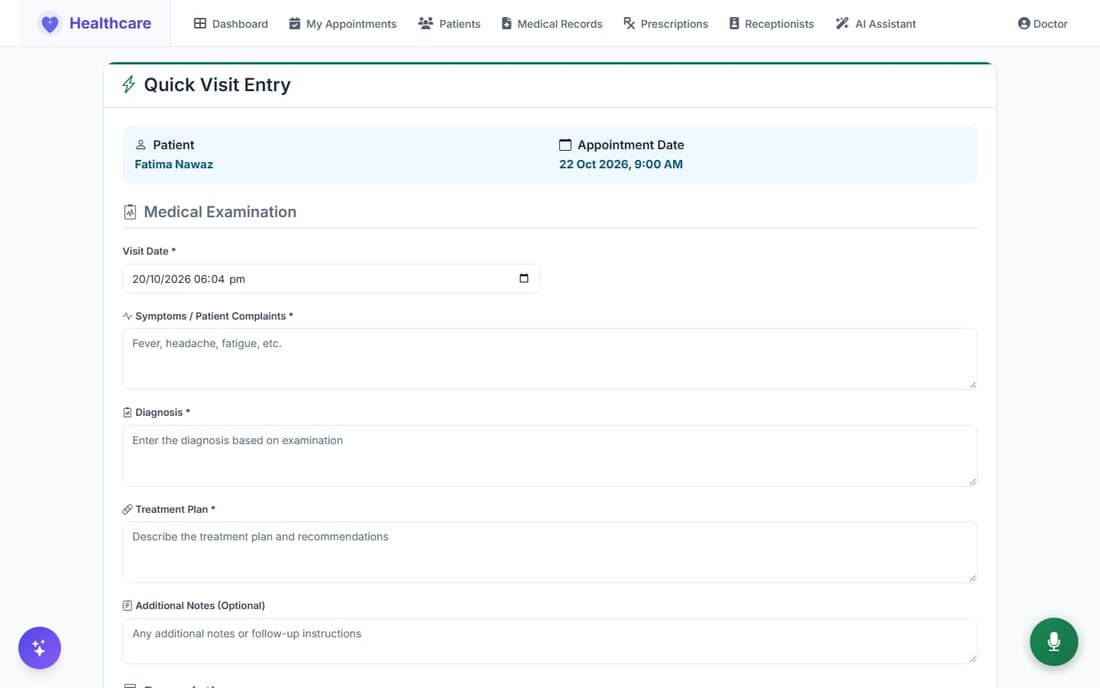
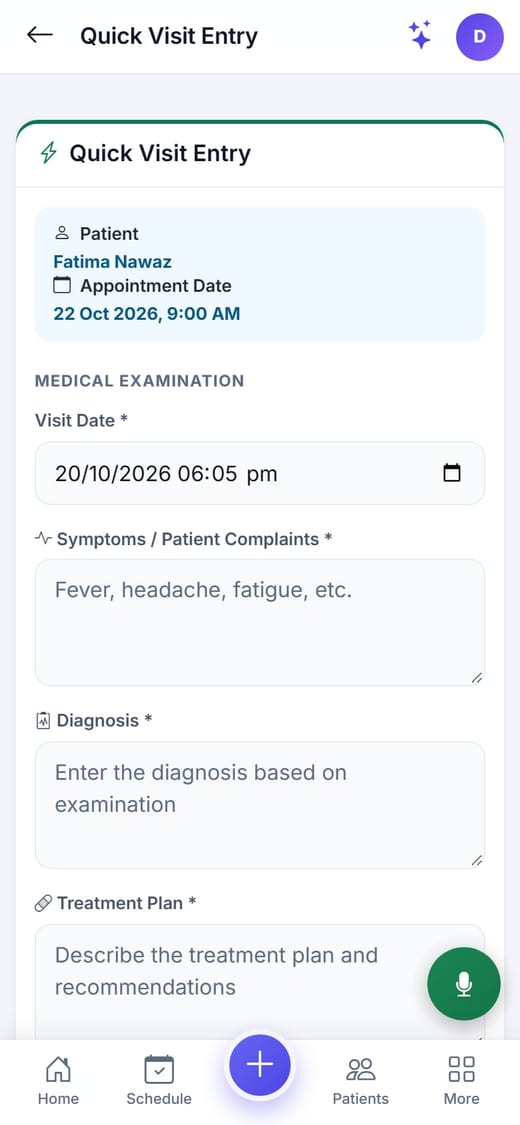
  • Recording bar with cancel, pause, resume and send
  • Locking the phone pauses the recording instead of losing it
  • Vitals from the front desk are on screen before the visit
Quick Visit form
Quick Visit on the phone
Prescriptions

A prescription in your own design

Choose the Classic or Modern design, or build your own on an A4 canvas: drag and resize text, data fields, logo, signature, the medicines table, lines and boxes. Print it, or share it as a PDF from the phone.
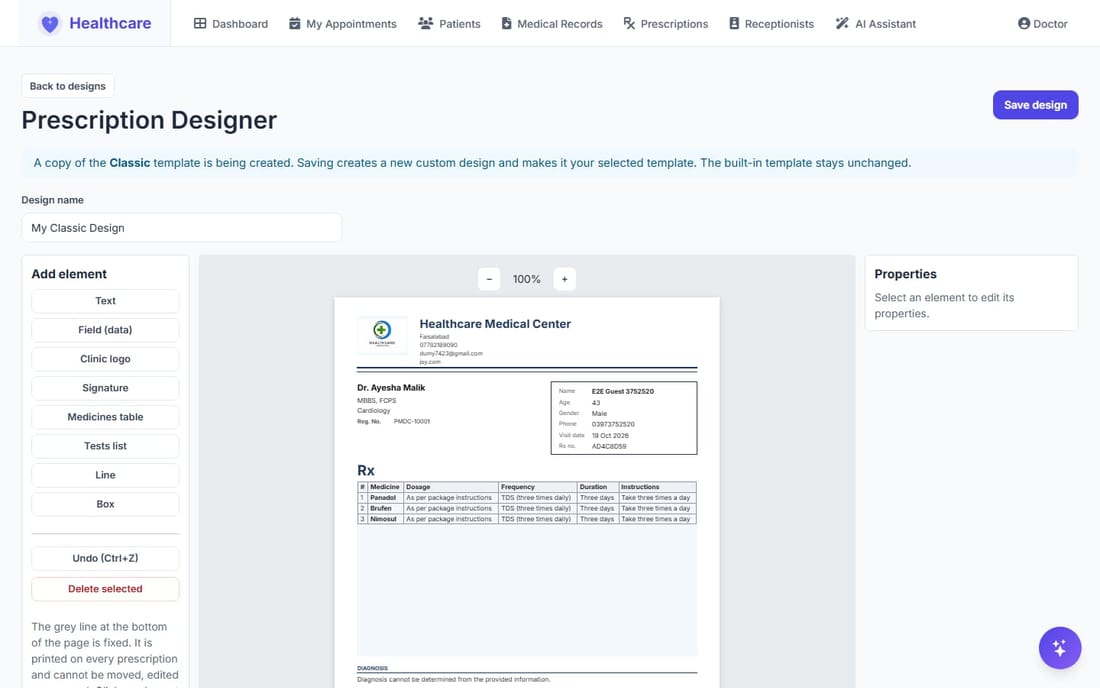
  • Your clinic logo, address and the doctor's signature
  • Several medicines per visit, editable any time
  • Long lists continue on extra pages
Prescription designer
Lab tests

Order a test, get the result online

The doctor orders a test during the visit. The patient uploads the result (PDF, JPG or PNG, up to 5 MB) from their phone, and the doctor previews it on screen. Patients can replace or delete their file.
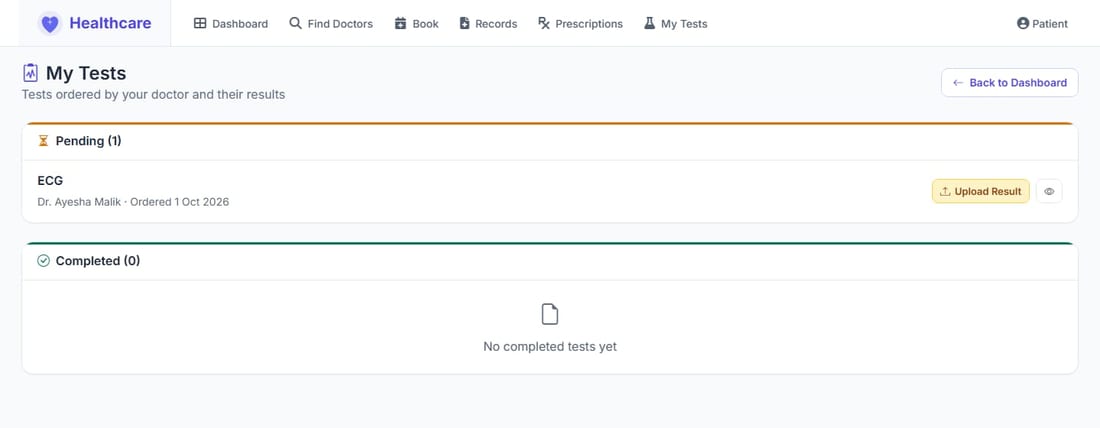
  • Files are checked and kept out of the public web folder
  • Only the patient, the ordering doctor and the Admin can open a result
Patient uploads a lab result
AI assistants

Ask in English or Roman Urdu

Every answer comes from real data in your system. Each assistant works for one role and only reaches what that role may see.

Admin assistant Whole clinic

"How many appointments are scheduled today?" "Show pending medical tests." It can also book, update and complete appointments, create records and register patients, always asking you to confirm first. It never deletes anything and never handles passwords.

Doctor assistant Own patients only

"Show my upcoming appointments this week." "Which of my tests are awaiting results?" Read-only, and limited to the doctor's own patients on the server, so another doctor's patient simply does not exist for it.

Front desk assistant Own doctors only

"Who is booked for today?" "Which doctors are on duty?" Read-only, for the receptionist's own doctors: today's queue, doctors on duty and patient basics. It never shows diagnoses, records, prescriptions or test results.
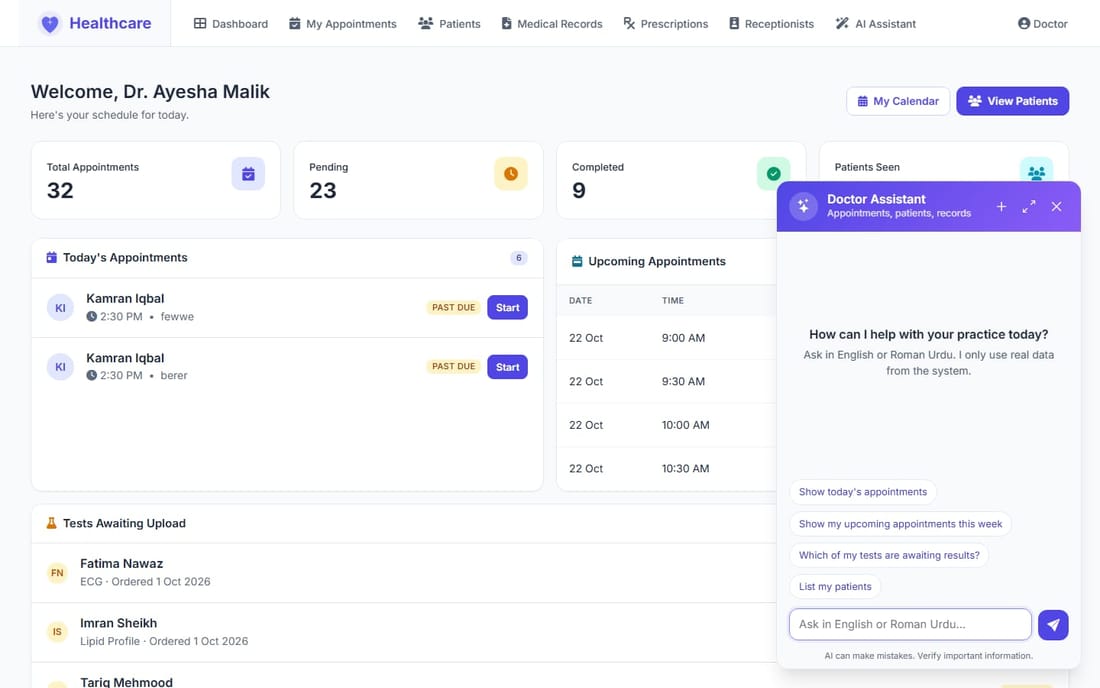
Doctor AI assistant panel
Mobile app

Your clinic in your pocket

The mobile app opens the live system in a layout made for the phone, so every new feature is there as soon as it is released.
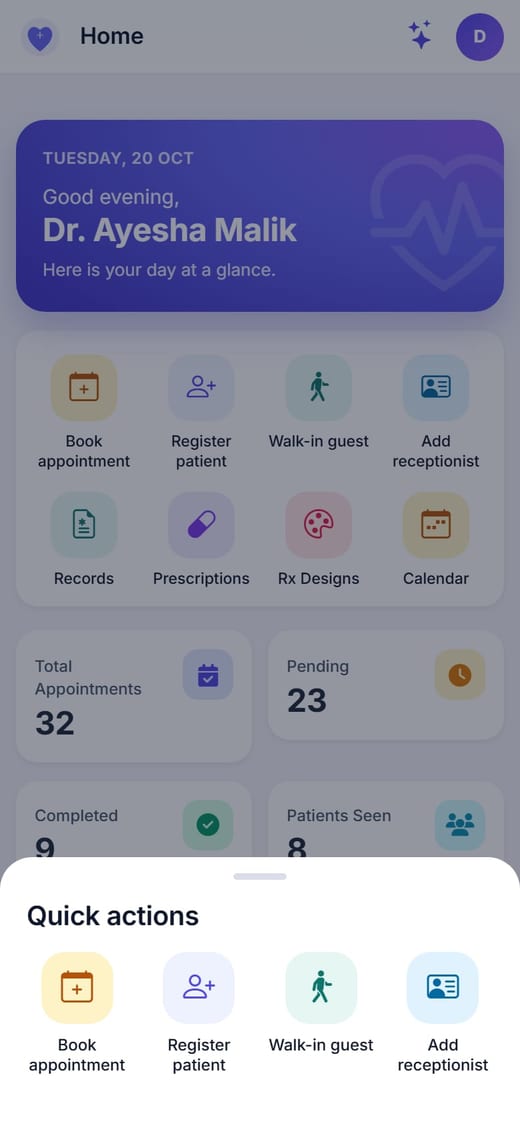
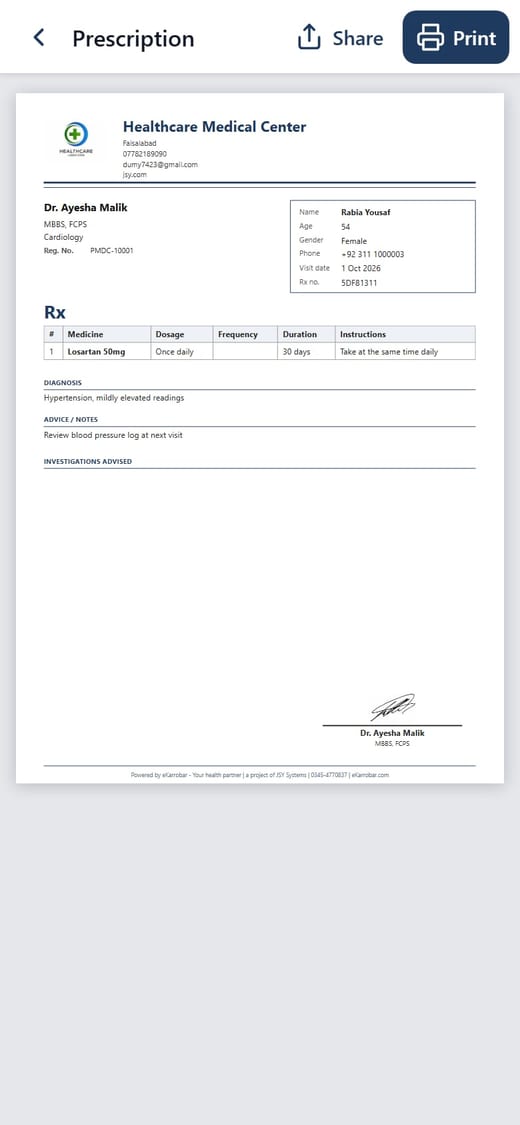
  • A home screen and bottom tabs for each role
  • Quick actions from the centre "+" button
  • Prescription viewer with Share as PDF and Print
  • Voice dictation and the AI assistant in one tap
  • Stays signed in for 30 days
Quick actions in the mobile app
Prescription viewer in the mobile app
Patient home in the mobile app
Control and privacy

You decide who sees what

Role-based access

A doctor sees only their own patients. A receptionist never sees diagnoses, medical records or result files.

Permissions per doctor

Seven switches decide what each receptionist may do for each doctor, set by the Admin or the doctor.

Audit log

See who viewed or changed patient data, when and for which patient. Filter it and export to CSV.

Sign-in protection

Ten wrong attempts pause sign-in for two minutes, and idle sessions end on their own.

Safe lab files

Results are checked by type and content, stored outside the public web folder and served only to the people allowed.

Your clinic, your details

Logo, address and contact on every prescription, and fees in your own currency.

One visit, start to finish

How a visit flows

  1. 1

    Register

    Find the patient or add a walk-in guest in seconds. A phone number already on file shows a warning first.

  2. 2

    Book

    Pick the doctor and a free slot from their real working hours.

  3. 3

    Vitals

    The front desk records blood pressure, pulse, temperature, SpO₂, weight and sugar.

  4. 4

    Visit

    The doctor writes or dictates the visit, prescribes and orders tests in one form.

  5. 5

    Follow up

    The patient gets the prescription, uploads lab results and books the follow-up.

Got questions?

Frequently asked questions

Create an account, open Find Doctors, choose a doctor and a date, then pick one of the free times that doctor offers. Upcoming appointments can be cancelled from My Appointments.

You, and the doctor who wrote them. Front desk staff never see diagnoses, records or lab result files, and every view of patient data is written to an audit log that only the clinic Admin can read.

Yes, a mobile app. It signs in with the same account as the website and stays signed in for 30 days. An iPhone version is being prepared.

English and Roman Urdu. Answers come from real data in the system, and the conversation stays in your browser tab until you sign out.

Yes. Every doctor picks the Classic or Modern design, or builds their own in the designer. The clinic logo and address come from the clinic profile, and the signature from the doctor's profile.

Open My Tests, press Upload Result on the pending test and choose a PDF, JPG or PNG up to 5 MB. You can replace or delete the file later.

Ready to run your clinic on one system?

Create your account or sign in to see it with your own data.